
There are four easy steps to cancel your Fortnite Crew subscription. One by one, each step is explained here; take a look at the first step below.
Cancel Fortnite crew subscriptions step 1
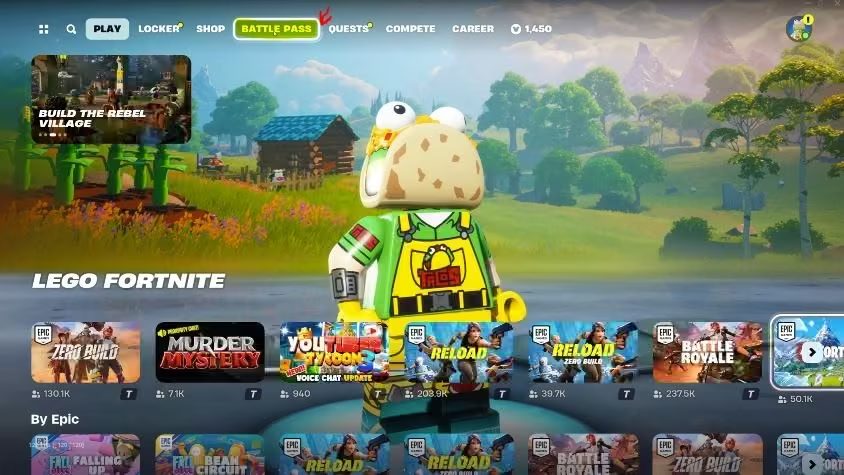
First of all, open your Epic game account and click on the battle pass, as highlighted in the screenshot below.
Cancel Fortnite crew subscriptions step 2
After clicking on the battle pass option, you will open this page below.
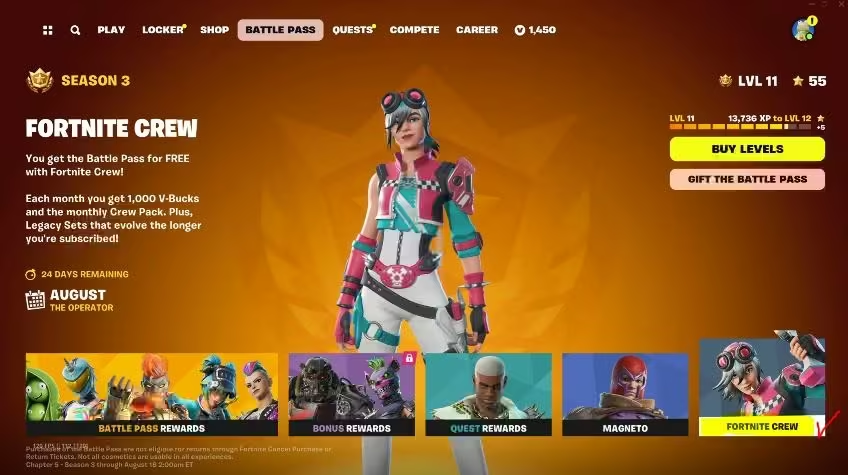
Now, click on the Fortnite Crew as highlighted on the above page. After clicking on Fortnite Crew, you will open this page as shown in the screenshot below.
Cancel Fortnite crew step 3
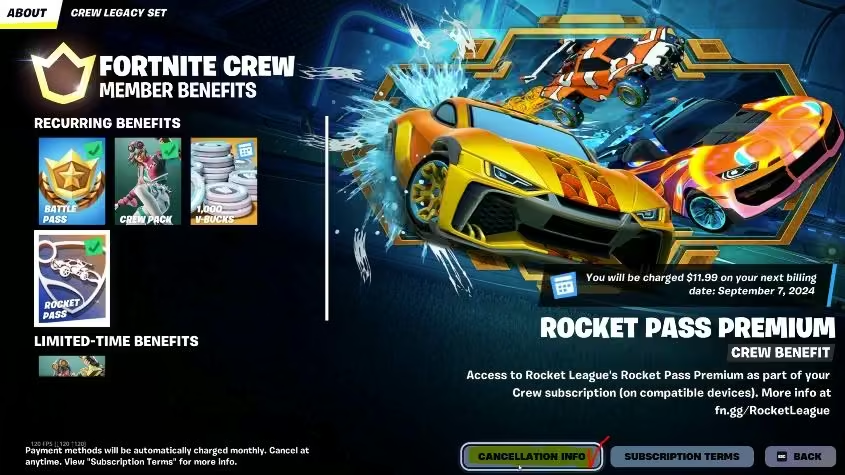
Click on the cancellation info as shown in the screenshot below.
Cancel Fortnite crew step 4
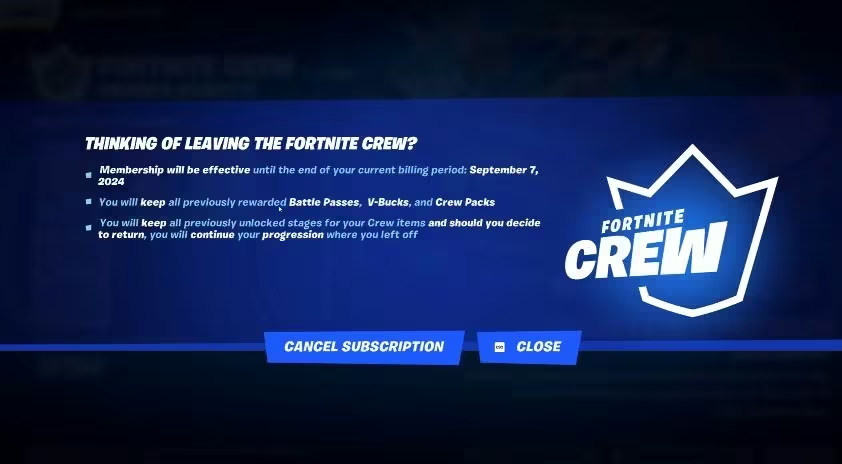
After clicking on this cancellation info, you will be asked to confirm the cancellation. Now, confirm your cancellation by clicking on the cancel subscription, as shown below.
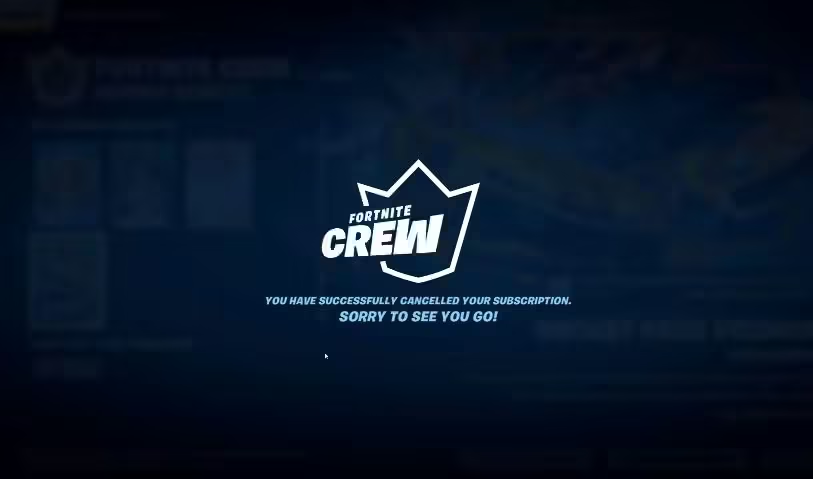
After this last step, you will see a notification like, “You have successfully cancelled your subscription, sorry to see you go“. Take a look at the screenshot below.
Hope this article will be helpful.
You may need help in downloading the Fortnite Game. Visit this page: How to download Fortnite on a Windows laptop/PC
The Fortnite Crew subscription is a monthly premium service in Fortnite developed by Epic Games. Members receive exclusive skins, 1,000 V-Bucks each month, and access to the current Battle Pass.
However, many players eventually decide to cancel their membership. Here’s everything you need to know about what happens when you cancel Fortnite Crew and what to expect afterward.
What Is Fortnite Crew?
Fortnite Crew is a paid monthly subscription that offers extra in-game benefits, including:
- An exclusive monthly Crew Pack (skin + cosmetics)
- 1,000 V-Bucks every month
- Access to the current Battle Pass
- Occasional bonus content during special events
The subscription renews each month automatically unless it is canceled.
What Happens When You Cancel Fortnite Crew?
When you cancel Fortnite Crew, your membership remains active until the end of the current billing cycle. After that, no further payments will be charged.
Important details:
- All previously received skins and cosmetic items remain permanently in your locker.
- Any V-Bucks you received stay on your account.
- The Battle Pass remains active until the end of the current season.
- You will not receive future monthly Crew rewards after the subscription expires.
Is There a Refund After Canceling?
In most cases, Epic Games does not provide partial refunds for an ongoing billing period. This means that even if you cancel immediately after renewal, your subscription will stay active until the end of that paid month.
Refund policies may vary slightly depending on the platform and regional consumer protection laws.
Common Reasons for Canceling Fortnite Crew
Players choose to cancel for different reasons, such as:
- Not interested in the current Crew skin
- Taking a break from Fortnite
- Saving money
- Switching to another game
- Account or technical issues
Common Issues After Canceling
Charges Continue to Appear
In most cases, the subscription is still active until the billing period ends. Canceling stops future renewals, not the current month.
Crew Items Seem Missing
Previously received items are not removed. If something appears missing, it may be due to account syncing issues or logging into the wrong account.
Cancellation Option Not Found
The subscription must be managed on the same platform where it was originally purchased.
FAQ – Cancel Fortnite Crew
Can you cancel Fortnite Crew anytime?
Yes, you can cancel at any time. However, the membership remains active until the end of the paid billing period.
Do you lose Crew skins after canceling?
No, all previously received cosmetic items remain permanently on your account.
Can you subscribe again later?
Yes, you can reactivate Fortnite Crew at any time.
Does the Battle Pass get removed?
No, the Battle Pass remains active for the current season even after cancellation.
Conclusion
Canceling Fortnite Crew does not remove any of your previously earned rewards. The subscription ends at the close of your current billing period, and no further charges are applied. Players can cancel at any time and rejoin later if they wish.